

Considering the fact that much of the data used by CPAs is personal information, it’s no surprise that security issues top their list of concerns when it comes to technology, according to the AICPA’s 20th annual Top Technology Initiatives survey. For the seventh consecutive year, participants rated “information security management”
Advertisement
TOPICS
Information management and technology assurance
Excel Can Print an Entire File Even With a Mix of Worksheet Orientations
Some of the worksheets in my Excel files are in landscape orientation and some are portrait. To maintain the orientations when I print the entire file, I print each worksheet separately, which is time-consuming. Is there some way to do the task in one print order? Obviously you never tried
Discover the Power and Convenience of Office Clipboard
When I copy something in Word, say, with Ctrl+C, and then move on to edit and even copy material in some other part of my document, is there a way to retrieve the snippets I copied for later use? Absolutely. The tool you need to exploit is the Office Clipboard,
How to Recognize a Safe Program Update Invitation
When I boot up my Windows XP computer, I keep getting a pop-up above my system tray that says: Updates are ready for your computer. Click here to install these updates. How do I know this is not some kind of virus? There is no indication who is sending them.
A Path to Financial Stability
A sound business strategy is important no matter what the state of the economy. As you work with clients to determine the best methods of surviving the recession, be sure to discuss the following critical points for seizing opportunities to refocus, contain expenses and reassure customers. Take a fresh look
Inventory Your Keyboard Shortcuts and Clear Out the Useless Ones
Help! Something happened to my shortcut keys in Word. They got all botched up. I know how to reset them, so that’s not my question. But what I discovered when I started to reset them was that I have way more shortcuts than I thought I had— and for tasks
Engage the Option: Click Inside a Word to Select the Entire Word
When I used Word 2003, I could italicize a whole word by putting the cursor anywhere in the word and then pressing Ctrl+I. But when I do that in Word 2007, nothing happens. What’s up? Word 2007 can do it, but you have to tell it to. Here’s how: Click
A Fast Way to Launch an E-mail
There are a handful of people I communicate with by e-mail a half-dozen times a day. Each time I want to send them a note I have to set up a new e-mail and either click for their address or type it in. There has to be a better, faster
Keeping It Together
Retirement, health issues for an owner, the desire to grow—all of these are reasons firms engage in mergers or acquisitions. Most firms decide to merge or acquire only after considerable analysis of financial and professional outcomes. Last month we gave general advice for ensuring a merger or acquisition goes smoothly.
Produce a Quick Line of Dots, Dashes or a Border – Without Leaving the Keyboard
I usually enhance my memos with borders—lines and dashes—but it’s a tedious job clicking all those keys. I know I can do it by going to the Format menu and clicking on Borders and Shading, but that’s even more cumbersome. Is there an easier way to do it? Yes, there’s
Proposed Changes to Privacy, Security Guidance Available
The AICPA released two proposals that would alter guidance for CPAs providing attestation services, advisory services or both that address IT-enabled systems including electronic commerce systems and privacy programs. The guidance relates to providing services with respect to system security, availability, processing integrity, confidentiality and privacy. The AICPA
Out, Out Nasty Ins Key
I can’t tell you how many times I accidentally pressed the Insert (Ins) key and innocently typed over a complex paragraph that I worked on for more than an hour. Thanks for the blessed Ctrl+Z keystrokes, which undid my accidental erasures. Isn’t it about time the Insert key was removed
Excel Shortcuts
Ctrl+1: Displays the Format Cells dialog box. Ctrl+2: Applies or removes bold formatting. Ctrl+3: Applies or removes italic formatting. Ctrl+4: Applies or removes underlining. Ctrl+5: Applies or removes strikethrough. Ctrl+6: Alternates between hiding objects, displaying objects and displaying placeholders for objects. Ctrl+7: Displays or hides the Standard toolbar. Ctrl+8: Displays
One-Size Security Doesn’t Fit All
“Protect Your Wireless Network—And Your Business” (Nov. 08, page 88) suggested a number of steps to protect wireless networks from outside monitoring and other unauthorized access. As an international consultant and a contributing editor for Wiley’s Computer Security Handbook, 5th Edition, I differ with some of the recommended measures. Several measures
Change the Way Dates Appear in a Document
I know the shortcut for entering a date in Word is Alt+Shift+D, but I don’t know how to change the way the date is displayed. I want the date format to be March 19, 2009, not 3/19/09. You can change the default by clicking on Insert, Date and Time, which
The Safe and Easy Way to Unplug a Memory Stick
I’ve been told to never, never, ever unplug a USB device, like a memory stick, until the Safely Remove Hardware icon gives the OK. And that’s my problem: Some days the icon is in my toolbar, and other days it’s missing. What’s going on? What can I dop? So what
A 2009 Tuneup for Your Firm’s Succession Planning
The pending retirement of the baby boomer generation and the unrelenting challenge of finding and keeping talented staff can have grave consequences for firms that fail to develop a succession strategy. With the AICPA’s 2008 PCPS Succession Survey showing that only 35% of multiowner firms had a written succession plan,
Help! I’ve Run Out of USB Ports
My computer has only three built-in USB ports, and all are in use. But now I want to plug in several other USB devices, such as a remote hard drive and a memory stick. What are my options? You can buy a component called a hub that contains one male
Be an “Energy Star”
For many business owners 2008 was a record year for energy costs. The Obama administration, while pledging to reduce greenhouse gas emissions 80% by 2050, has said that ‘energy efficiency’ is the cheapest, cleanest and fastest energy ‘source.’ Consider the following tips to make your business more energy efficient.
Quick Way to Copy Comments to Multiple Excel Cells
When I review a client’s numbers in an Excel spreadsheet, I frequently add comments in many of the cells, and many of the comments are the same—such as “Looks Good!” Is there any way I can copy them, in one fell swoop, so I don’t have to type the same
Features




FROM THIS MONTH'S ISSUE
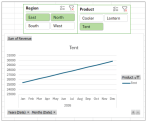
Create interactive dashboards with Excel PivotCharts and slicers
Leave the static spreadsheets behind. This JofA Technology Q&A article with video walkthrough provides a step-by-step guide for creating interactive dashboards in Excel that decision-makers can use.
From The Tax Adviser
January 31, 2026
Trust distributions in kind and the Sec. 643(e)(3) election
January 31, 2026
Effects of the OBBBA on higher education
December 31, 2025







