How to build reusable Skills in Anthropic’s Claude AI
Q. I have been hearing about Claude Skills. What is Claude and what are its Skills?
A. Claude is the AI model released by Anthropic. Recently, Anthropic released Skills, a method for saving reusable instructions to Claude.
If purchasing the Claude Pro plan, disable the model improvement so Anthropic doesn’t use your prompts and data to train its model. To do this, click your name in the bottom left corner, go to Settings and then Privacy. Toggle off Help Improve Claude. The Team plan, which I use, has this off by default, so I am unable to show this with screenshots.
I start with the task I want to build a skill around. I want to quickly create an expense report to submit to the accounting department and use PDFs and pictures of receipts as source documents.
Starting from the Chat screen, this is the task prompt:
I want to create a skill to upload PDFs and image files of receipts that are expense purchases for my business. I want to use the Claude AI processing to extract data. I then want you to take the data from those receipts and create an excel file with that information.
Ask me any questions that will help you create a better instruction set.
It is very important to prompt Claude or any AI model to ask questions. Claude will determine additional context it needs to create a complete skill.
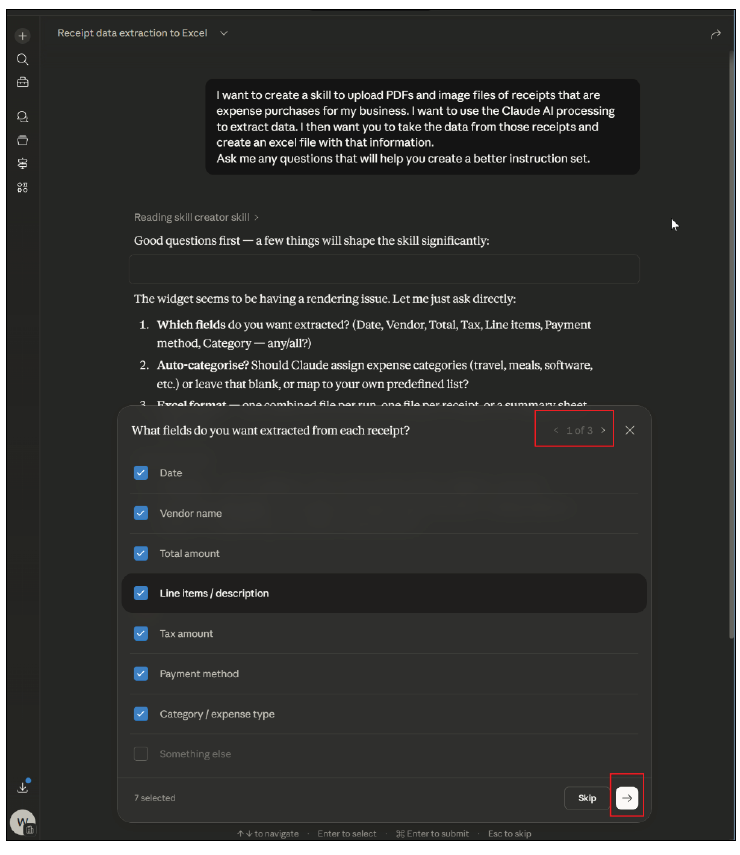
In the preceding image, Claude asked me three questions noted in the top right corner of the pop-up window. For example, asking what columns should be on the spreadsheet, I can check the boxes and click the next button in the bottom right corner.
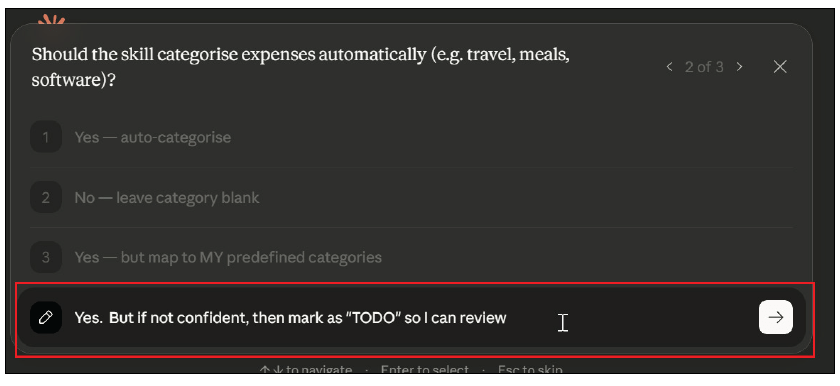
I am not restricted to the options Claude gives me. I can enter a different answer than what’s suggested. For example, in the preceding screenshot, it wanted to know how to handle the categories. I gave it permission to try setting the category but, if it was unsure, to enter TODO so I could research it.
After Claude processes my answers, it will open a panel on the right with the skill. I can review it and make any corrections or add additional steps.
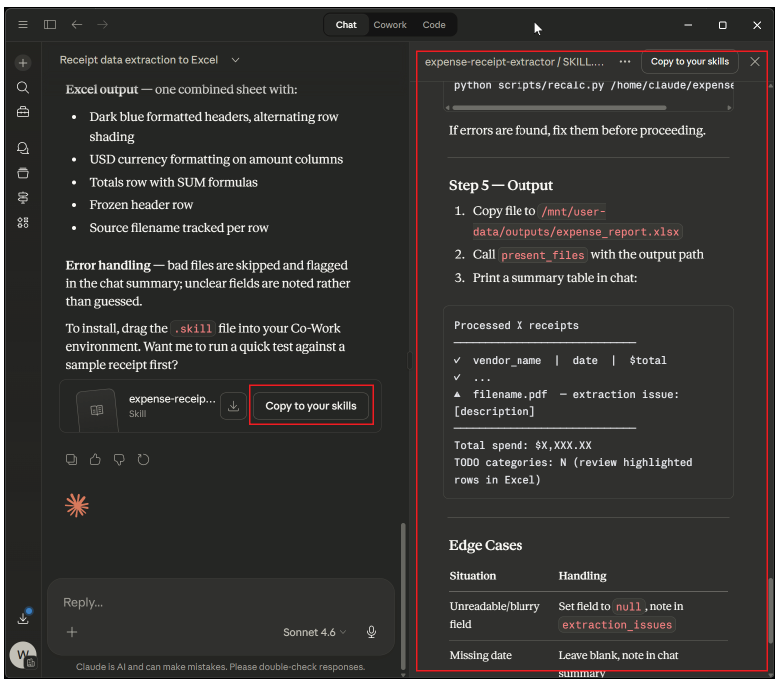
If I want to handle 100 receipts, I can add the following prompt:
If a vendor was previously looked up, then use that prior lookup instead of researching again.
This would prevent Claude from searching the internet every time when researching a vendor to determine the category. Once I am happy with the skill, I click the Copy to your skills button.
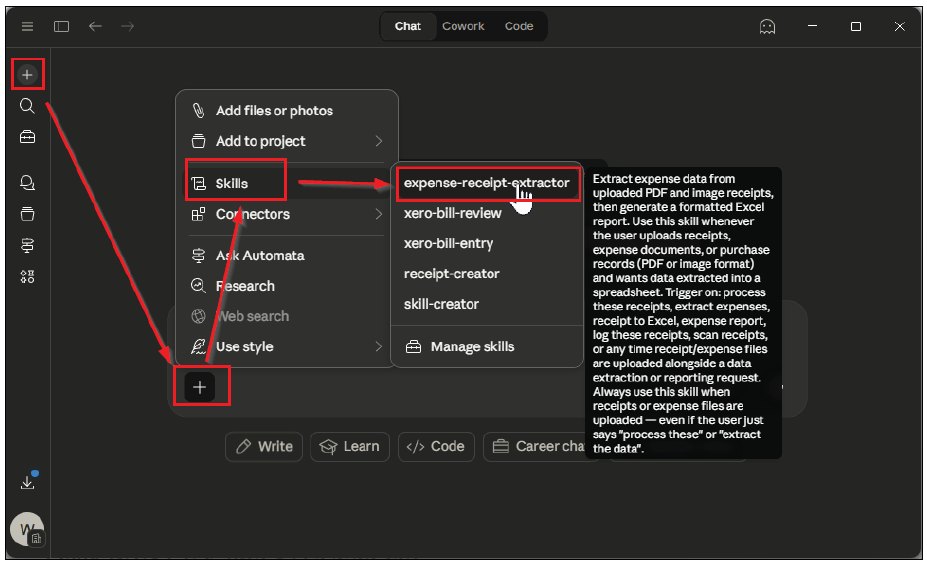
The next step is to execute the skill. I click on the + icon in the top left corner to start a new chat. I click on the + in the center area, go to Skills, and then click on “expense-receipt-extractor.”
Then I drag in my files. I am using four sample files. Then I click the arrow, as shown in the following screenshot.
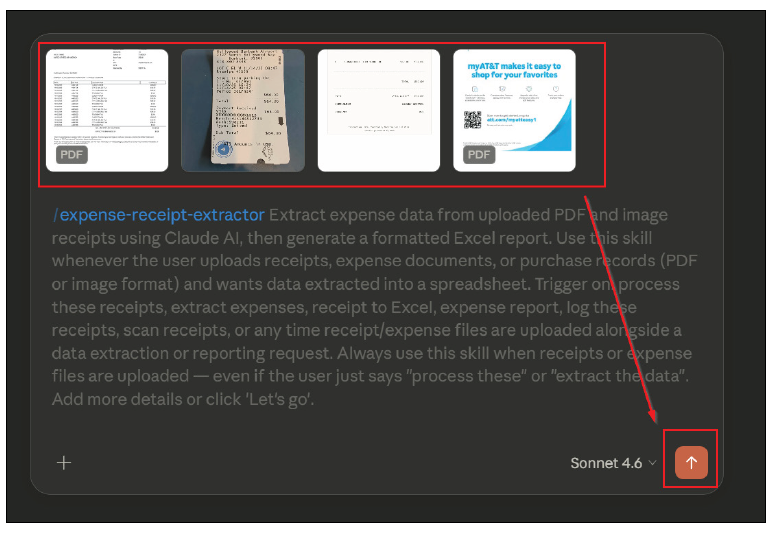
It will process the files, and once complete, it will show me a preview of the Excel spreadsheet along with a download button.
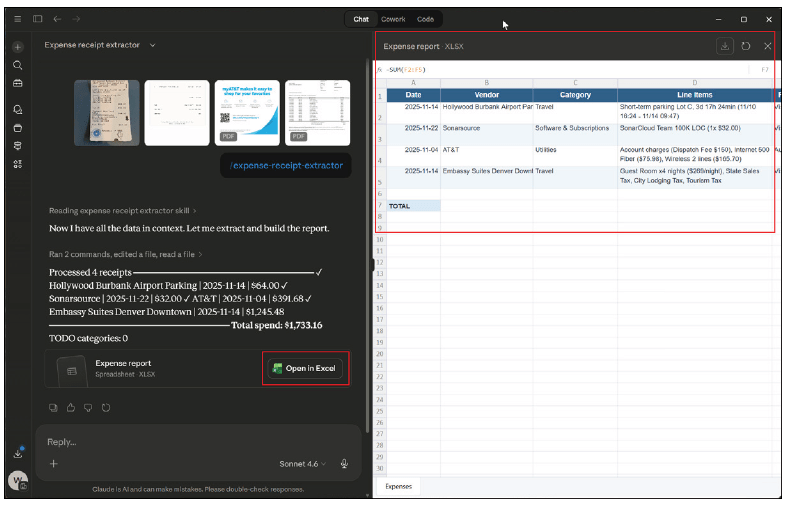
Now this can be reviewed for accuracy and correctness. One important part of making a skill is to correct the skill when it does something wrong. For example, I don’t like the date format of YYYY-MM-DD. I want it to be MM/DD/YYYY. It is important to go back to the skill and tell it how you want the date formatted. Another idea for the skill could be to format the spreadsheet so an accounting system can accept it as an import.
There are other important considerations when using AI to process data. This is not something that should be used with personal identifiable information (PII) such as tax documents. Anthropic has security and privacy certification, but I am not comfortable yet with using it for PII. Software vendors with AI features that are using Anthropic for data extraction should be sanitizing the PII (making it anonymous vs. identifiable data) before sending it to Anthropic for processing.
About the authors
Wesley Hartman is the founder of Automata Practice Development.
Submit a question
Do you have technology questions for this column? Or, after reading an answer, do you have a better solution? Send them to jofatech@aicpa.org.