

Spreadsheets contain many tools for analyzing and manipulating data. The trouble is much of the data CPAs need to analyze resides in company databases or on the Internet. So, after finding the required data, you may have to cut and paste them into a spreadsheet. This laborious and error-prone process
Advertisement
TOPICS
Information management and technology assurance
An Efficient Profit Motive
The sagging economy and the pressure to go “green” are prompting firms to become more efficient. Whenever you make staffing changes, set new goals or tighten your budget, you have an opportunity to reassess workflow, enhance technology or improve productivity. Consider the following ways to lower expenses and increase profitability:
Put Your Business on the Map With Google Maps
Every firm’s dream should be to have a free listing on a major search engine at the top of its first results page, allowing prospective clients to find the firm when they’re searching for accounting, tax or financial planning services. Imagine if this free listing also included the firm’s phone
Safeguarding Data: Requirements and Resources
Editor’s note: This is a sidebar for “Protect Your Portable Data – Always and Everywhere.” CPAs should understand their ethical, legal and regulatory responsibilities to safeguard data. The following listings direct you to primary sources: LAWS, REGULATIONS Federal laws Federal Trade Commission, Gramm-Leach-Bliley Act, Disclosure of Nonpublic
The Tech-Savvy CPA
When it comes to technology, are you a leader or a laggard? Do you embrace technology or shun it? This article contains questions and explanations to help you determine how technology-savvy you really are, and identify where you could improve your technology performance. 1. Does your computer have more than
Protect Your Portable Data—Always and Everywhere
Their widespread use sometimes makes relatively new technologies seem safer than they are. In fact, even popular and advantageous innovative devices may have significant risks. Prominent examples include data-filled laptops and flash drives. Recurrent headlines make it clear: Your laptop could become one of the thousands lost or stolen every
It’s Not Enough to Just Delete Old Messages in Outlook, You’ve Got to Compact
Q: My Outlook has been running really slow, and I finally figured it’s probably because my Inbox and Deleted Items files are huge. I’m embarrassed to say that I’ve accumulated several years of e-mails. So I recently spent an hour or so of quality time deleting messages. But now, after
Tap Into the JofA’s Web Site to Locate Articles of Interest
Q: I find your Tech Q&A column very useful. Is there some way I can track down items you published earlier? It sure would be handy. A: Several readers have asked about this, and yes, the magazine has a very comprehensive and easy-to-use Web site for locating articles. Go to
Pricing on Purpose: How to Implement Value Pricing in Your Firm
A business is defined by the value it creates for its customers. Your price speaks volumes about your value proposition, more so than any other component of your firm’s marketing. The business world pricing revolution began in the 1980s, when many of the Fortune 500 companies began to employ professional
Boost Your System Memory With a USB Flash Memory Stick
Q: I understand that the more system memory I have, the better my computer will perform. However, I’ve already loaded as much system memory as my computer can hold. Is there any way to add more? A: Yes, once you run out of slots in your computer, you can configure
The Power—and Vulnerability—of the Undo (Control+Z) Tool
Q: I was working in Excel and suddenly realized that I made a mistake when I entered a formula about 10 minutes earlier and that was screwing up a lot of what I did since then. So I turned to the old faithful Undo command (Ctrl+Z), and although it took
Economic Outlook Improves
Optimism about the U.S. economy’s prospects improved sharply in the second quarter, but compensation freezes, layoffs and capital spending cuts are still on the horizon for about half of companies, according to a new survey of CPA financial executives. Nearly one-fifth of respondents were optimistic or very optimistic about the
Internet Telephone Services for Individuals and Small Businesses
In a typical home or small office the traditional wired phone line has undergone many changes. High-speed Internet service and advances in voice and data compression have improved voice quality tremendously, making conversations possible without a telephone network while significantly lowering communications costs. Larger organizations have been using VoIP (Voice
How to Prepare for the Inevitable Hard Drive Crash
Q: I recently had to replace my hard drive. My tech support person said it had crashed, and he didn’t know why. When I asked him what I could have done to prevent it, he shrugged his shoulders. What advice do you have? A: I assume, since you had to
Introducing the New Principles-Based Peer Review Standards
Editor’s note: G. William Graham is the AICPA Peer Review Board chair. The effects of the newly revised AICPA Standards on Performing and Reporting on Peer Reviews (Standards) will be far-reaching. They directly impact more than 30,000 firms enrolled in the AICPA’s practice-monitoring program. In addition, the revised standards
A Handy Guide for Creating Custom Headers and Footers
Q: A colleague showed me how to add the path and file name to an Excel spreadsheet, and that’s real handy. But the Header screen (see screenshot below) leaves much to be desired: It doesn’t tell what each of those 10 icons does. Sure, I can figure it out from
Design a Personal Paper Calendar in Outlook
Q: When I’m not at my computer, I experience what I call calendar withdrawal. Sure, I could carry a little pocket paper calendar, but then I’d have to keep it synced with Outlook. No, thank you. And unlike our president, I’m not about to go high-tech with a data phone.
Beware: The Save AutoRecover Info Option Does Not Save Permanently
Q: I run XP and Office 2003, and I was rummaging through the Options menu (click on Tools, Options), and in the Save tab I came across an option to Save AutoRecover info every:. And then it gives you the choice of how frequently you want it to save. Huh?
Client Communication After an M&A Deal – Sample Client Letters
The letters you send to clients announcing a merger or acquisition should reassure in order to retain. These samples suggest what to say to clients of the predecessor and successor firms: Letter to Clients of the Predecessor Firm Dear [client]: We are pleased to announce our forthcoming merger with ABC
Simplify and Improve Your Office System
Talk about pressure—and not just in tax season. Keeping office computer systems up and running in small and medium CPA firms is an enormous and unending responsibility. Without reliable computing and communication capabilities, your staff, your clients and your business are dead in the water. To mitigate the risk of
Features




FROM THIS MONTH'S ISSUE
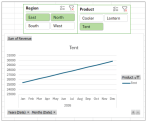
Create interactive dashboards with Excel PivotCharts and slicers
Leave the static spreadsheets behind. This JofA Technology Q&A article with video walkthrough provides a step-by-step guide for creating interactive dashboards in Excel that decision-makers can use.
From The Tax Adviser
January 31, 2026
Trust distributions in kind and the Sec. 643(e)(3) election
January 31, 2026
Effects of the OBBBA on higher education
December 31, 2025







