6 gear recommendations for home office and business travel
Q. I liked the hardware recommendations you made for home office and for work trips. Do you have other recommendations I can explore?
A. I have come to appreciate tools with additional functions and features that make life a little easier. Here are some items I use at my home office or when traveling.
HEADSET
My preferred headset is the Logitech PRO X Gaming Headset. These headphones cover my ears completely to help block outside noise. There are two ear-cup-material options: vinyl and fabric. I find fabric the most comfortable around my ears. The boom mic is adjustable, and there is a mute switch and a volume knob on the headset. This lets me quickly mute the mic if I need to speak to someone off camera or adjust the volume without needing to search for a setting.
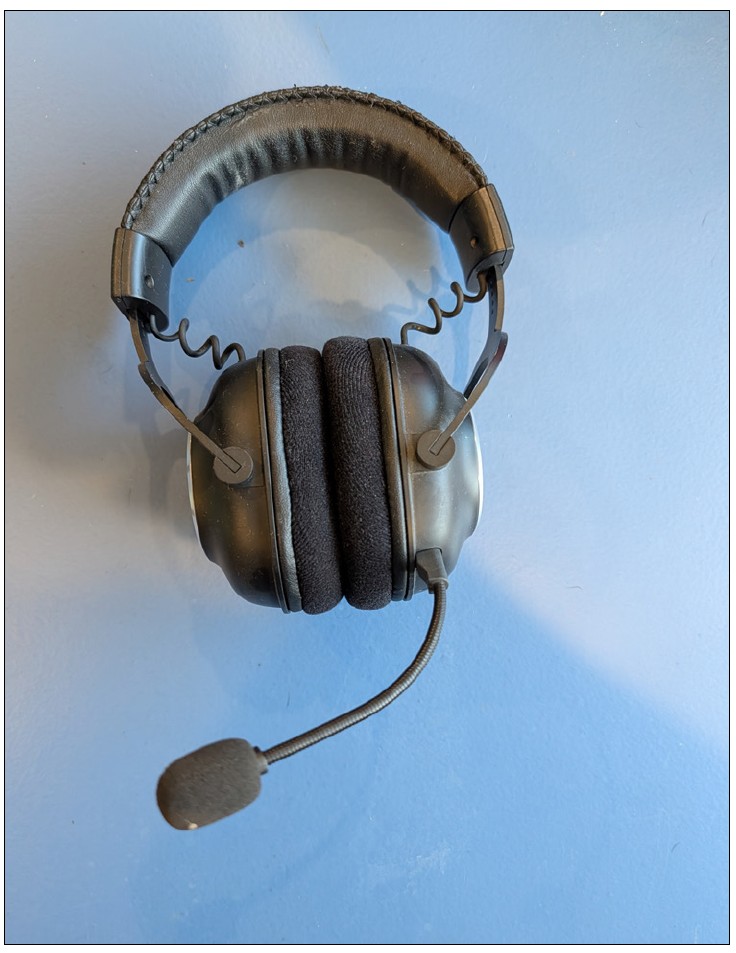
One issue I’ve had with over-the-ear headphones is regulating my speaking volume. Before I purchased these headphones, my spouse would need to interrupt me during meetings and ask me to lower my voice. To solve this problem, the Logitech PRO X has a great feature called Sidetone, as shown in red box in the following screenshot.
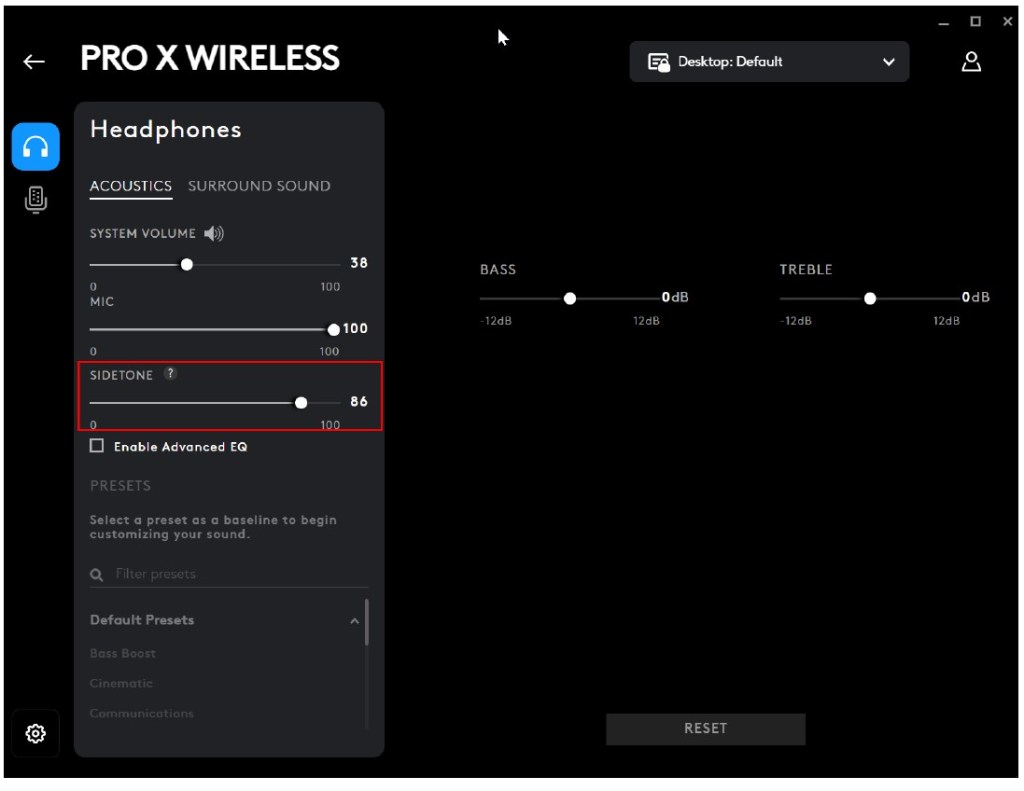
Sidetone feeds the audio from the microphone back into the earphones. This lets me hear myself in a subtle way and passively reminds me to regulate my voice. I can adjust my Sidetone setting to be louder in my ear in case I need a more active reminder.
Headsets are a personal choice. I recommend trying a few options, including over-the-ear and ear buds, and including the Logitech PRO X Gaming Headset in testing.
CAMERA
I spend at least 10 hours per week on video calls using the camera shown in the photo below, the Logitech BRIO.
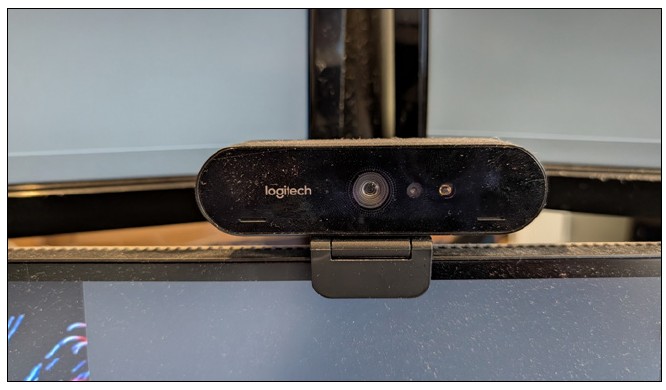
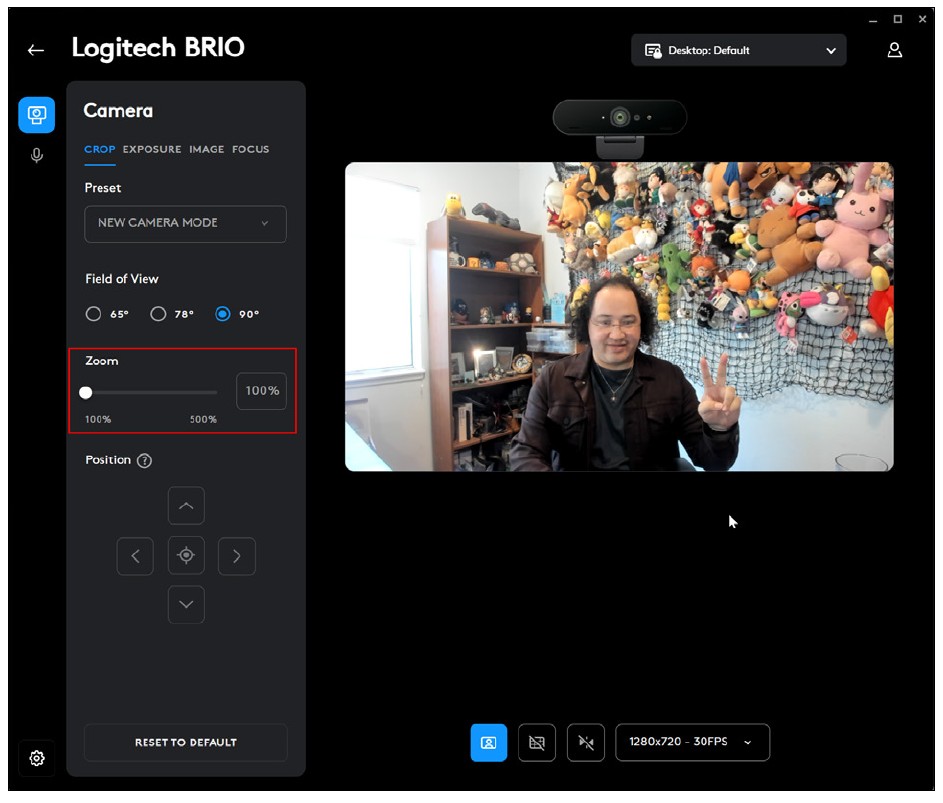
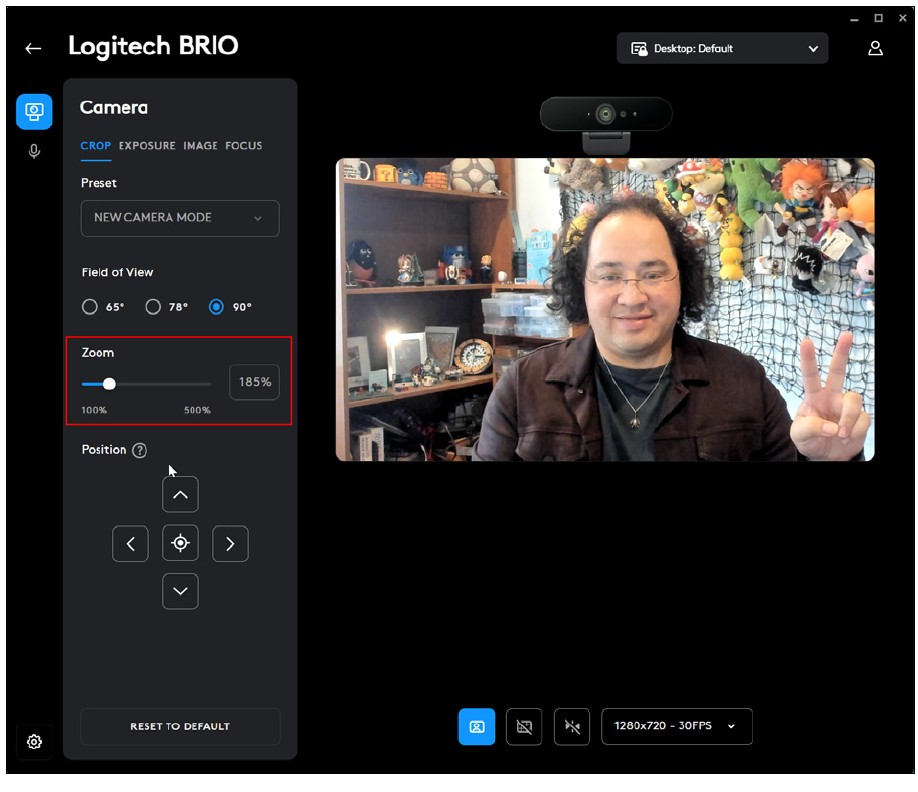
The BRIO has features that improve the video quality and how I want to look on camera. The BRIO supports 4K video and auto adjusts based on lighting conditions. On camera I look consistent whether it’s early in the morning when the sun is coming through my window or at night under overhead lighting. I adjust one setting manually: the zoom. The BRIO has a large range of vision, which would include the previously mentioned window. Using the zoom function, I can crop it out, as you can see in the before and after pictures below.
REMOTE PRESENTER
I frequently make presentations to accountants, and I like to bring my own remote presenter, shown in the screenshot below. This is my simplest tool. It doesn’t have any complex features. It can move a slide deck forward and back, has a laser pointer, and is rechargeable, and the USB adapter magnetically embeds into the remote. It’s simple and designed to do a narrow task well.
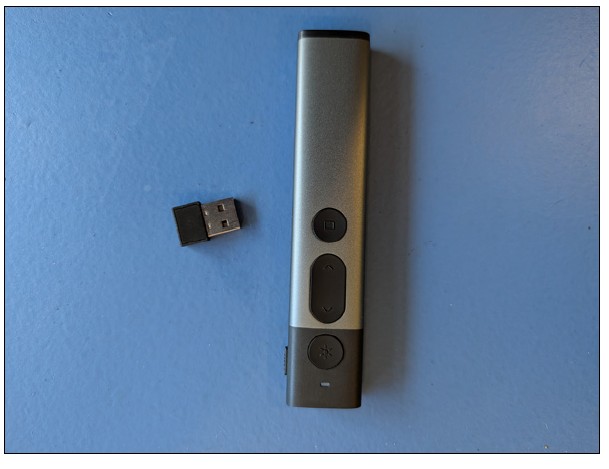
Note that while I use a Rioicc presentation clicker, you can find many options with a Google search for “simple presentation clicker.”
TRAVEL PHONE MOUNT
I fly once a month on average. Flying is the one time I try not to work and instead catch up on some movies. Not every plane has a screen on the back of the seats, though. In those situations, I use my travel phone mount.
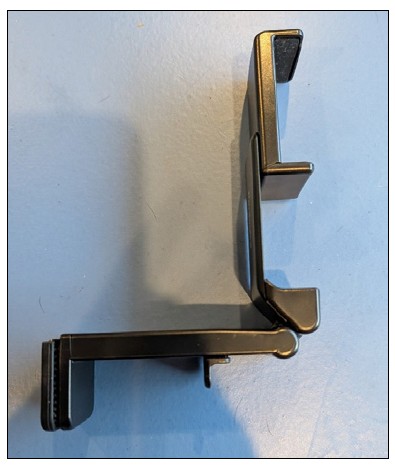
This clamps onto the back of the tray table and keeps my phone at eye level. Before I leave home, I load up movies from my various streaming services to watch. Using the phone mount is more comfortable than holding my phone in my hand to watch a movie.
WORK BAG
When I want something light to carry my laptop and some other work items, I like to use the Bellroy Via Work Bag, pictured below. It is spacious and can hold my large laptop along with other items like a mouse, power adapter, and any interesting promo items from a conference.
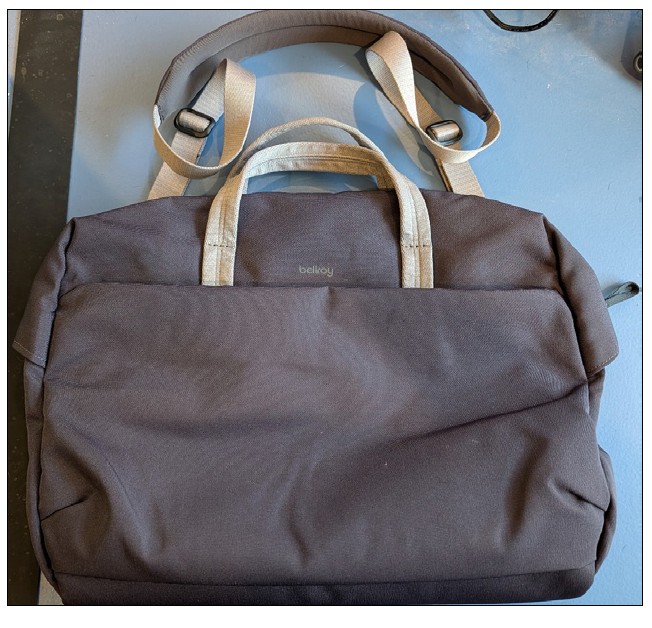
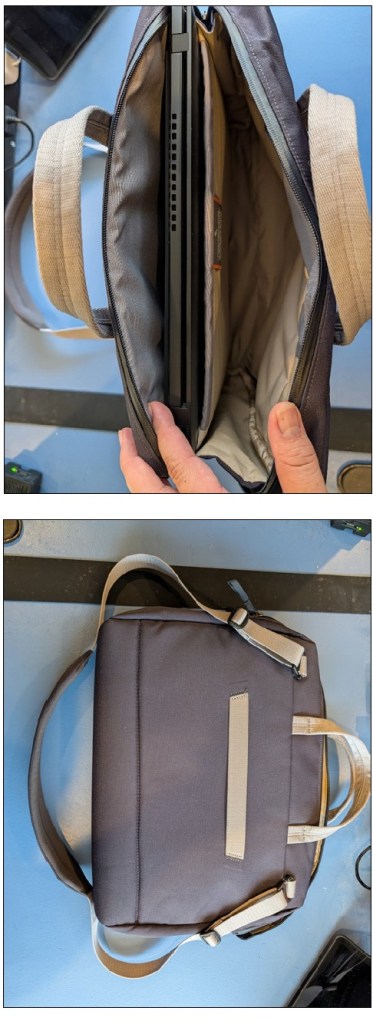
Here are a few features of this bag that I like:
- The laptop slot is slightly above the bottom of the bag. So if I drop the bag, the laptop has extra space from the ground to protect it.
- The main pouch has two zippers, which allows the pouch to be opened from either direction.
- The strap has adjustable buckles on both sides of the shoulder pad, which provides better control of the shoulder pad’s placement.
- The straps connect to the flat side of the bag, which makes it lie a little better against the body.
TRAVEL BACKPACK
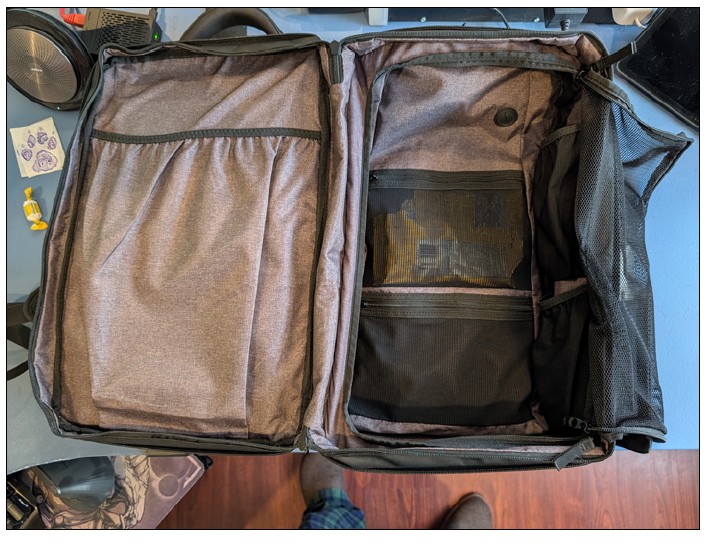
When I travel with my equipment for working in a hotel room, I use my Nomatic Travel Pack, pictured below. This backpack has a lot of features, but I will focus on those I like the most.
The front pocket is packed with small pockets and pouches for storing all the small items I travel with: retractable cables, eyeglass cleaning kit, power banks, remote presenter, etc. All have a specific place in the bag, so I don’t need to fish around to find something.
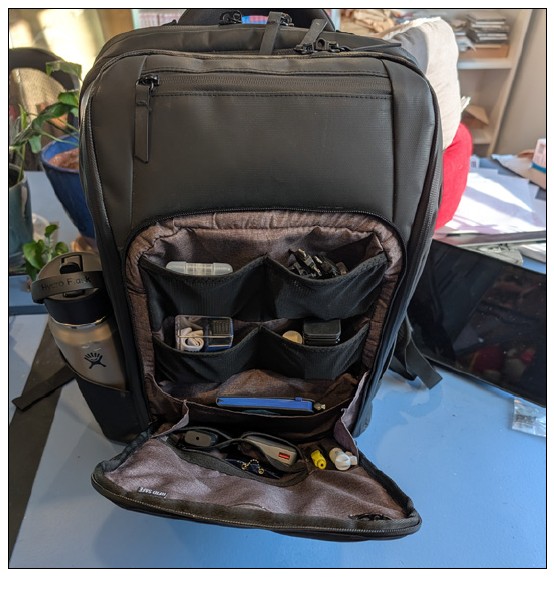
The main pouch is spacious and folds down completely, making it easy to access all the contents in case there is an item buried at the bottom. There are also additional pockets and pouches to pack items away.
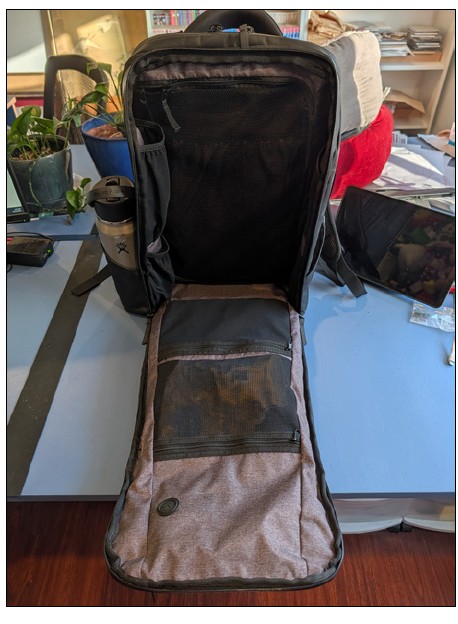
This backpack can expand to allow packing more items. When I do this, I can also open it like a suitcase.
A separate laptop compartment opens flat and has additional pockets for items like a tablet, magazines, or a mouse pad.
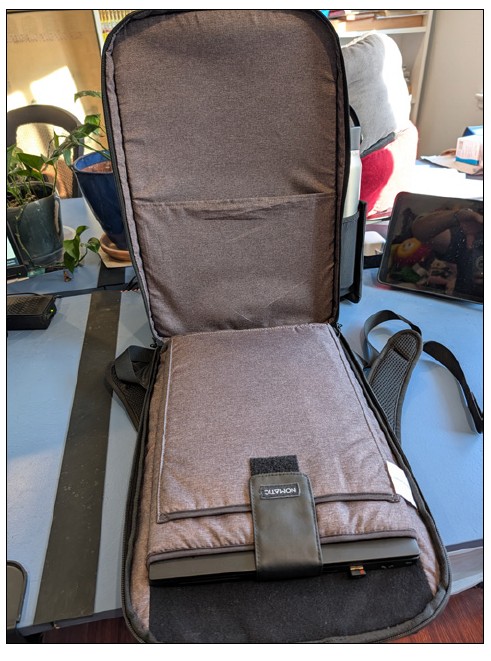
The one thing I don’t like is that this bag can get heavy when fully loaded with my travel computer equipment like extra screens. Luckly, it has a luggage pass-through feature so I can put it on my rolling suitcase and keep the load off my back.
This can be used as a day-to-day backpack, not just for travel.
About the author
Wesley Hartman is the founder of Automata Practice Development.
Submit a question
Do you have technology questions for this column? Or, after reading an answer, do you have a better solution? Send them to jofatech@aicpa.org.